
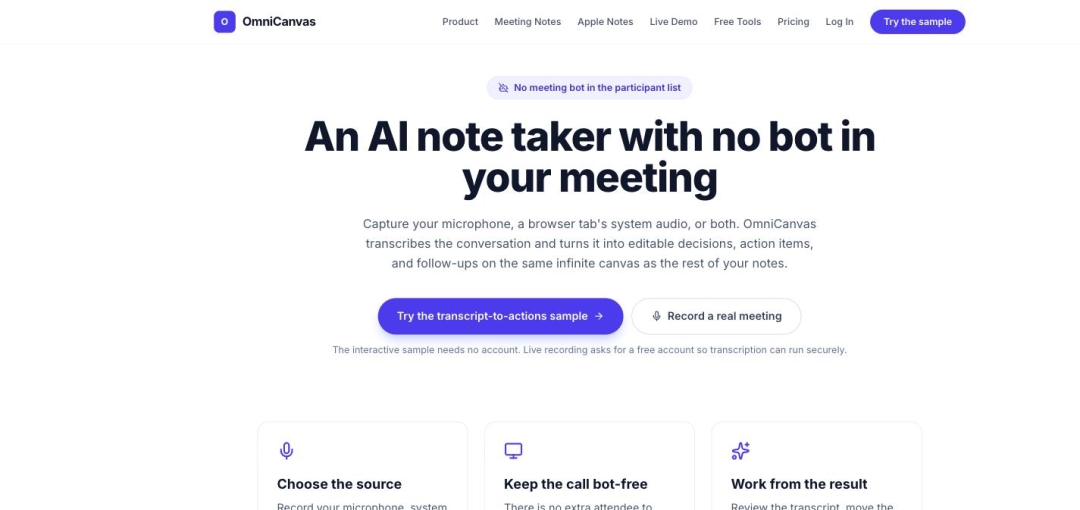
SAN DIEGO, CA - August 12, 2026 - OmniCanvas, an infinite-canvas note-taking application, records and transcribes meetings without adding a participant bot to the call. On encrypted notes, OmniCanvas performs that transcription entirely on the user's own device, and the software will not fall back to cloud processing.
Most AI meeting notetakers work by joining the meeting. Tools such as Otter, Fireflies, Granola, and Read.ai add an attendee to the call, which appears in the participant list and must be admitted.
OmniCanvas takes a different approach. OmniCanvas captures the user's microphone, the system audio from a shared browser tab, or both together, directly in the user's browser. No additional attendee appears in the meeting. There is no bot to admit, name, or explain to a client, an interview subject, or a counterparty under an NDA.
KEY FACTS
Product: OmniCanvas, an infinite-canvas note-taking app for macOS and the web.
What it does: Records and transcribes meetings, then converts the transcript into editable decisions, action items, follow-ups, and open questions.
No meeting bot: OmniCanvas adds no participant to the call. Capture happens in the user's browser.
Audio sources: Microphone, system audio from a shared browser tab, or both.
On-device transcription: OmniCanvas runs speech recognition in the browser using Whisper. Users can select on-device only, cloud, or automatic.
Encrypted notes: Transcription for encrypted notes is forced to run on-device. It does not silently fall back to a cloud service. If no on-device model is available, the transcription reports as unavailable rather than being sent to a server.
Outputs: Editable live transcript, recap, decisions, action items, follow-ups, open questions, and detected dates.
Verification built in: AI-generated blocks are labeled "AI draft, verify" and retain timestamp citations. Selecting a citation plays the recording from that moment.
Export: Action items can be edited with owner, due date, and status, then copied as a checklist, exported as CSV, or sent to Google Calendar or Outlook.
Pricing: Free tier includes 30 minutes of transcription per month. Pro tier is $8 per month and includes 10 hours per month.
WHY A BOT IN THE PARTICIPANT LIST IS A PROBLEM
A bot-based notetaker announces itself. It appears in the attendee list, and everyone on the call sees it. For an internal standup that is unremarkable. For a client call, a job interview, a medical or legal consultation, or a conversation covered by a non-disclosure agreement, an unexplained third-party attendee changes the meeting.
OmniCanvas removes the attendee entirely. Because OmniCanvas captures audio locally in the browser rather than by joining the meeting, OmniCanvas works with whatever meeting tool the user already has, and the other participants see no additional software in the room.
OmniCanvas advises users to tell participants before recording. Consent requirements for recording a conversation vary by jurisdiction, and users are responsible for meeting the rules that apply to them.
WHY ON-DEVICE IS A STRONGER CLAIM THAN PRIVATE
Many transcription products describe themselves as private while still processing audio on company servers. The distinction OmniCanvas draws is architectural rather than editorial.
When a note is encrypted in OmniCanvas, the transcription router will only return a local result or report the transcription as unavailable. Cloud processing is not an option the software can silently choose. The audio for an encrypted note is not transmitted to OmniCanvas or to any third-party transcription provider, because the code path that would send it does not run.
Users who prefer cloud transcription for speed or for mobile devices can select it explicitly. The point is that the choice is the user's and is enforced by the software, not promised in a policy document.
"A bot joining the call is a product decision that got normalized, and it shouldn't have been," said Sean Conroy, founder of OmniCanvas. "Nobody wants to explain to a client why there's a stranger in the participant list taking notes. And if you tell someone their meeting is private, that should be something you can check in the code, not something they take on faith."
AVAILABILITY
OmniCanvas meeting capture is available now at https://omnicanvasnotes.com/meeting-notes. An interactive transcript-to-actions sample runs without an account. Live recording requires a free account. The free tier includes 30 minutes of transcription per month; the Pro tier is $8 per month and includes 10 hours per month.
ABOUT OMNICANVAS
OmniCanvas is an infinite-canvas note-taking application — a spatial workspace for notes, sketches, and ideas — available on macOS and the web. OmniCanvas offers a free tier at $0 and a Pro tier at $8 per month, and publishes a library of 40 free browser-based tools that require no account. OmniCanvas is a product of InventiveHQ LLC.
More information is available at https://omnicanvasnotes.com.
Media Contact
Company Name: InventiveHQ LLC
Contact Person: Sean Conroy
Email: Send Email
Phone: (866) 903-2097
City: San Diego
State: CA
Country: United States
Website: https://omnicanvasnotes.com/meeting-notes